
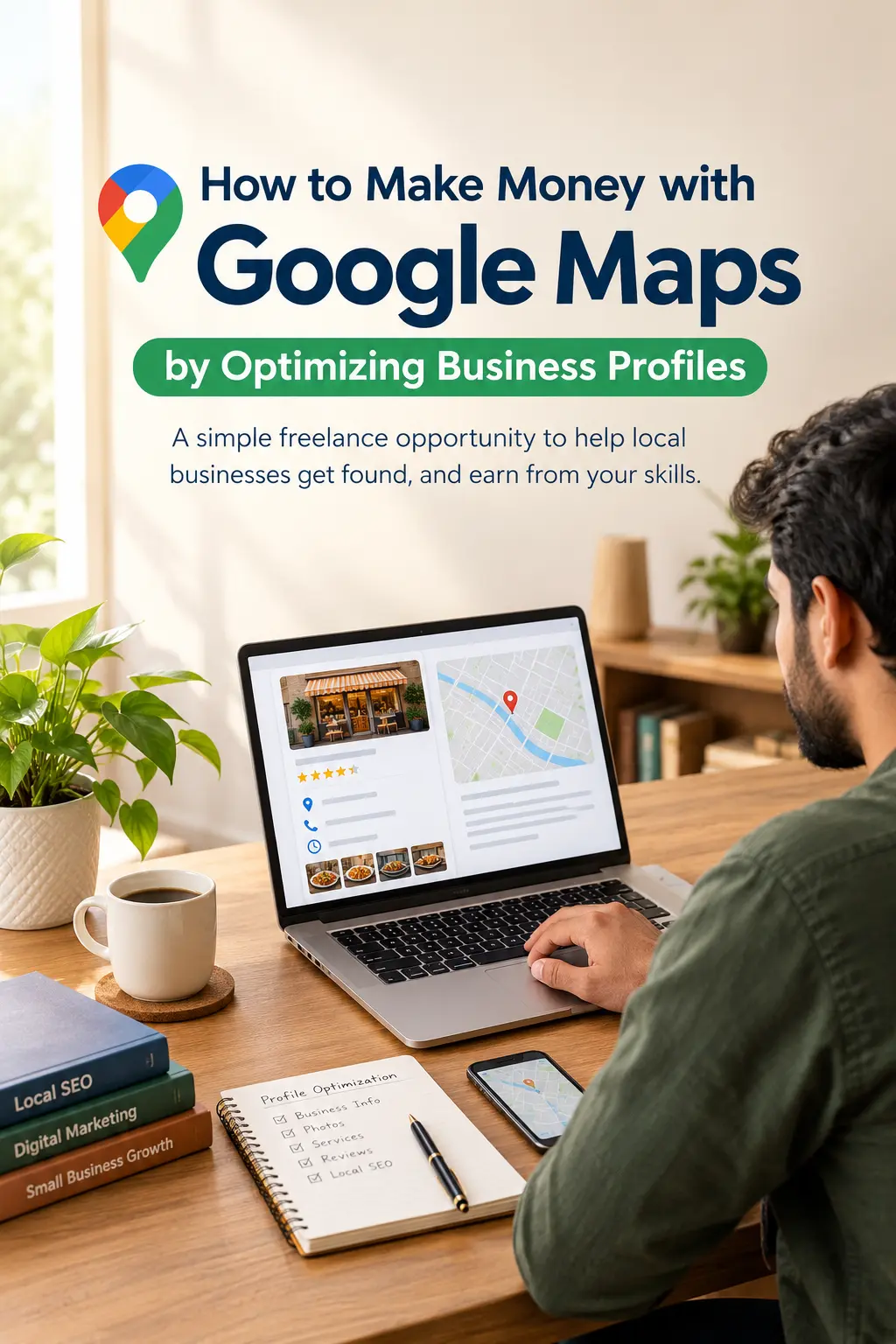
Can you make money with Google Maps without building an app, buying expensive software, or investing a lot of money upfront?
Yes, there is a freelance opportunity worth exploring: helping local businesses improve their Google Business Profiles.
Many businesses rely on Google Search and Google Maps to help customers find their location, check opening hours, view photos, and learn about their services. But some profiles contain outdated information, missing details, or unanswered customer reviews. If you learn how to identify and fix these problems, you can offer your services to business owners and charge for your work.
The important thing to understand is that Google doesn’t pay you for using Google Maps. Your income comes from clients who hire you to manage or improve their business profiles.
For beginners in Pakistan who want to learn freelancing or local SEO, this could be a service worth testing. However, finding clients takes effort, and there’s no guarantee of earning money or improving a business’s search rankings.
Let’s look at how the opportunity works, what skills you need, and how you can get started.
What Is Google Business Profile Optimization?
Google Business Profile is a free tool that eligible businesses can use to manage how they appear on Google Search and Google Maps.
A business profile may include:
- Business name, address, and contact details.
- Opening hours and service areas.
- Photos of the business, products, or services.
- Available services and business categories.
- Customer reviews and responses.
- A link to the business website.
Profile optimization means reviewing this information and making appropriate improvements so customers can understand what the business offers and contact it more easily.
For example, imagine a car repair shop whose Google profile displays incorrect opening hours, has very few photos, and doesn’t clearly explain its services.
You could review the profile, confirm the correct details with the owner, organize relevant photos, and help update the missing information.
The owner pays you for your time, knowledge, and work—not for access to Google Maps.
You can learn more about how Google evaluates local search results in its official local ranking guide.
Can You Really Make Money with Google Maps?
Yes, people can earn money by providing Google Business Profile management and local SEO services. The challenge is finding businesses willing to pay for that work and delivering something they consider valuable.
A YouTube video may show impressive earnings, but those figures shouldn’t automatically be treated as realistic expectations for beginners.
For example, the video behind this article mentions earning ₹10,000 in three hours and illustrates a potential monthly income of ₹1.5 lakh. These are the creator’s claims and calculations, not independently verified earnings or guaranteed results.
When you’re starting out, your first priorities will probably be learning the skills, practising your audits, finding potential clients, and building trust.
Which businesses might need this service?
You could research businesses such as:
- Salons and barbershops.
- Gyms and fitness studios.
- Electricians, plumbers, and carpenters.
- Car repair shops and car washes.
- Restaurants and cafés.
- Coaching centres and other eligible local businesses.
Don’t approach every business with the same offer. Look for specific problems you can identify and explain.
A salon with incorrect opening hours might need a simple profile correction. A repair shop with incomplete service information might benefit from a more detailed review of its profile.
The more clearly you can explain the problem and your proposed solution, the easier it is for a business owner to understand what you’re offering.
Step 1: Learn the Basics Before Looking for Clients
You don’t need to become an advanced SEO expert before you start learning this service. However, you should understand the basics before charging anyone.
Begin with Google’s official Business Profile guidelines. Learn which businesses are eligible, how categories work, what information can be displayed, and which practices are not allowed.
Next, practise these skills.
1. Profile auditing
Learn how to spot missing, outdated, or inaccurate information.
2. Business information management
Understand how to review opening hours, phone numbers, addresses, and service areas with the business owner.
3. Categories and services
Learn how to choose accurate business categories and describe the services a business actually provides.
4. Photo management
Help businesses organize and add genuine, relevant photos with the owner’s permission.
5. Review management
Learn to write professional, personalized responses to genuine customer reviews.
6. Local SEO fundamentals
Understand the three main factors Google identifies for local rankings: relevance, distance, and prominence.
7. Client communication
Practise explaining problems in plain language and setting realistic expectations.
You can also use ChatGPT to draft descriptions, organize audit reports, and prepare review-response templates. Just make sure the business owner verifies all factual information before anything is published.
One more thing: don’t claim to hold a Google certification unless you’ve actually completed the relevant program and received the credential. Check the current requirements before mentioning any certification in your portfolio.
Step 2: Find Businesses That Could Benefit from Your Help
Once you’ve learned the basics, start researching local businesses.
Open Google Maps and search for a business category in a particular city or neighbourhood. For example:
- Electricians in Islamabad.
- Salons in Rawalpindi.
- Car repair shops in Lahore.
You can start with businesses in your own area because you may find it easier to understand their services and communicate with their owners. However, a smaller market isn’t automatically more profitable or less competitive.
As you research, look for genuine opportunities to improve a profile.
A simple five-point audit checklist
| What to check | Possible issue |
|---|---|
| Reviews | Customer concerns have gone unanswered |
| Photos | Few useful photos or limited visual information |
| Website | Website is missing, outdated, or not working |
| Business details | Incorrect hours, phone number, address, or service information |
| Profile maintenance | Important sections are incomplete or outdated |
Give one point for each category where you find a genuine improvement opportunity.
A score of three to five points can help you decide which businesses deserve a closer look. However, this is just a prospecting checklist, not a proven scoring system. A business with few reviews isn’t necessarily a good client, and a missing website doesn’t automatically mean its Google profile needs work.
Always consider the actual situation rather than judging a business by its star rating alone.
Keep track of potential clients
Create a simple spreadsheet in Google Sheets or Excel.
| Business | Possible improvement | Contact method | Next step |
|---|---|---|---|
| ABC Salon | Opening hours may be incorrect | Public business contact | Verify details and prepare an audit |
| City Auto Care | Few useful photos | Business email | Prepare a sample review |
| Fitness Centre | Service information appears incomplete | Public business contact | Check the profile and follow up if appropriate |
These are illustrative examples, not verified business listings.
Keep your research focused on relevant business information. Avoid collecting unnecessary personal details, and follow applicable marketing and do-not-call rules when contacting prospects.
Step 3: Perform a Basic Google Business Profile Audit
Before contacting a business, identify two or three specific improvements you can explain clearly.
You don’t need to prepare a complicated report. A short, accurate audit is often enough to start a useful conversation.
1. Check the business information
Review the business name, phone number, opening hours, address or service area, and website.
If something appears incorrect, confirm it with the owner before recommending a change. Don’t assume information is wrong simply because it looks unusual.
2. Review categories and services
Check whether the primary business category accurately describes the business. Look for opportunities to make its actual services clearer.
Don’t add unrelated categories or insert keywords into the business name just to influence rankings.
3. Look at the photos
Consider whether the profile would benefit from genuine photos of the premises, staff, products, equipment, or completed work.
Ask the owner to provide or approve the photos. Never use fabricated images that misrepresent the business.
4. Review customer feedback
Look for unanswered reviews or responses that could be more helpful and professional.
You can help the owner respond to genuine customer feedback and encourage honest reviews from real customers. However, don’t buy reviews, write fake reviews, or offer incentives in exchange for positive ratings.
5. Consider the customer’s experience
Imagine you’re a potential customer looking at the profile.
Can you understand what the business offers? Can you find its opening hours and contact details? Is the information clear enough to help you decide whether to get in touch?
These simple questions can reveal useful improvements.
The purpose of an audit isn’t to make a profile look busy. It’s to identify changes that genuinely help the business and its customers.
Step 4: Contact Business Owners Professionally
Once you’ve found a real problem, contact the business through an appropriate public business channel.
A personalized message is usually more convincing than a generic offer promising to put a business at the top of Google Maps.
Here’s a message you can adapt for email or another suitable business contact channel:
Hello, my name is [Your Name]. I came across [Business Name] while researching local businesses on Google Maps.
I noticed a couple of things on your Google Business Profile that may be worth reviewing, including [specific issue] and [specific issue].
I help local businesses review and improve their profiles so customers can find accurate information about their services.
Would you be interested in a short, no-obligation audit outlining the improvements I found?
Only mention issues you’ve actually checked. If the owner is interested, explain what you can do, how much you’ll charge, and what the service will include.
If the owner declines or doesn’t have time to talk, be respectful. You don’t need to pressure someone into becoming a client.
What if the owner says, “I can do this myself”?
That’s a fair point. Many business owners can manage their own profiles, and Google doesn’t require them to hire a freelancer.
Your service is valuable only if it saves the owner time, improves the quality of the work, or provides expertise they don’t want to develop themselves.
For example, an owner may know how to change opening hours but not have time to review the entire profile, organize photos, prepare professional review responses, and document the improvements.
Show the owner what you can contribute instead of trying to convince them they can’t do the work themselves.
Never claim that a business will lose its listing or face penalties unless it hires you. That isn’t an honest way to sell this service.
Step 5: Decide What to Charge
Your pricing should depend on the work involved, your experience, the client’s requirements, and the time you expect to spend.
The original video suggests charging ₹1,000–₹1,500 for early projects and increasing fees to ₹3,000–₹5,000 as experience develops. These are the creator’s suggested prices in Indian rupees, not verified market rates or recommended prices for Pakistan.
Rather than copying someone else’s prices, start by defining what the client will receive.
Here are three service packages you could develop.
| Package | What it could include |
|---|---|
| Basic audit | A written report identifying errors, missing information, and recommended improvements |
| Profile cleanup | Approved corrections, category review, clearer service descriptions, and relevant photo updates |
| Ongoing management | Agreed profile maintenance, photo updates, review-response support, and periodic reporting |
These are example packages, not established market rates.
For your first paid project, put the scope of work in writing. Explain what is included, which tasks cost extra, who provides the photos, and whether ongoing management is part of the agreement.
If you’re working with businesses in Pakistan, you can quote in Pakistani rupees when appropriate. For overseas clients, agree on the currency, payment method, transaction fees, and delivery terms before beginning.
Also, remember that revenue isn’t the same as profit. Your actual earnings depend on more than the fee you charge. You need to account for time spent finding clients, unpaid calls, revisions, software expenses, and payment fees.
Step 6: Deliver the Work Properly
Getting a client is only the beginning. You also need a reliable process for completing the work.
Follow these steps for each project.
- Get permission. Obtain clear written or digital authorization before managing or editing the client’s profile.
- Record the starting condition. Prepare an initial audit showing the issues you’ve identified.
- Verify the information. Confirm business details with the owner rather than guessing.
- Prepare the changes. Draft descriptions, review categories, organize photos, and prepare the agreed updates.
- Get approval. Let the owner review changes that require their confirmation.
- Implement the approved work. Use the appropriate account permissions and document what you’ve completed.
- Provide a final report. Summarize the changes, explain any remaining issues, and suggest sensible next steps.
Before starting, read Google’s third-party policies.
There are a few important rules to remember:
- The business owner should retain ownership or co-ownership of the profile.
- Request manager access rather than asking for the owner’s password.
- Be transparent about your fees and the work you’re doing.
- Never claim or take control of a profile without authorization.
- Make it easy for the client to end the arrangement.
Following these practices helps protect both you and the business owner.
Step 7: Understand What Optimization Can and Cannot Achieve
A complete, accurate business profile can make it easier for customers to understand a business and find the information they need. But optimization doesn’t guarantee that the business will rank first on Google Maps.
Google identifies relevance, distance, and prominence as key factors in local search results. A freelancer cannot directly control all these factors, and paying a freelancer doesn’t buy a better organic ranking.
Avoid promising a particular ranking, a fixed number of new customers, or a guaranteed increase in revenue.
Instead, track results you can actually document, such as:
- Whether the agreed corrections were completed.
- How many approved improvements were made.
- Whether useful photos and accurate service information were added.
- Changes in available Google Business Profile performance metrics.
- Relevant customer inquiries reported by the business.
When performance data is available, compare similar periods and consider other factors that might have influenced the results.
For example, an increase in customer inquiries after an update may be encouraging, but it doesn’t prove that the update alone caused the increase.
Honest reporting is more useful for building long-term client relationships than making claims you can’t support.
Is Google Maps Optimization Suitable for Beginners in Pakistan?
It can be a practical freelance service to explore if you have internet access, a phone or computer, basic communication skills, and time to learn local SEO.
A sensible starting point is to research eligible businesses in your own city. Working with local clients may make it easier to understand their services, verify details, and communicate with owners.
You can also approach overseas clients remotely. However, you’ll need clear communication, an understanding of the client’s market, and reliable payment arrangements.
Before getting started, keep a few things in mind:
- You’re selling a service, not earning money automatically through Google Maps.
- Some business owners will decline your offer, even when you’ve found genuine issues.
- Finding clients may take more time than completing the paid work.
- Payment options, fees, and withdrawal rules depend on the provider and your account eligibility.
- You must verify business information and obtain approval before making changes.
- Neither a particular income nor a certain number of clients is guaranteed.
For your first project, focus on doing a small job well. Once you’ve completed it, ask the client for permission to use the audit or an appropriate example of the work in your portfolio.
A real example of your work gives future prospects something concrete to evaluate.
Common Mistakes to Avoid
Promising first-place rankings. No freelancer can guarantee a particular organic Google Maps ranking.
Buying or fabricating reviews. Fake reviews and paid review schemes can violate Google’s policies and put the business at risk of enforcement.
Editing a profile without permission. Always obtain proper authorization before claiming, changing, or managing a listing.
Accepting work you’re not prepared to do. Learn the basics and practise with sample audits before charging clients.
Using misleading sales tactics. Don’t invent problems, exaggerate a competitor’s performance, or pressure business owners into hiring you.
Ignoring the client’s actual needs. A business may benefit more from accurate opening hours and better photos than from a complicated SEO package.
Expecting instant income. Learning, prospecting, communicating with clients, and revising work all take time. Treat your first projects as opportunities to develop a reliable service.
Frequently Asked Questions
1. Does Google pay people to optimize Google Maps listings?
No. This is a freelance service offered to business owners. You earn money when a client pays you for agreed profile-management or optimization work.
2. Can I start without SEO experience?
You can learn the basics without previous professional experience, but you should understand the service before charging clients. Study Google’s guidelines, practise profile audits, and start with a clearly defined scope of work.
3. Do I need to pay to create a Google Business Profile?
Google Business Profile is free for eligible businesses. Your fee is for your professional service, not a charge imposed by Google for creating or maintaining a profile.
4. Can I do this work from Pakistan?
You can explore offering profile-management services to eligible businesses in Pakistan and other markets. Make sure each client’s business qualifies for a profile, and confirm the payment and invoicing arrangements relevant to your work.
5. How much can a beginner earn?
There isn’t a dependable income figure that applies to every beginner. Your earnings depend on your skills, pricing, paying clients, repeat business, and expenses. The amounts mentioned in the video shouldn’t be treated as typical or guaranteed earnings.
6. Can profile optimization guarantee more customers?
No. Accurate information and useful photos can improve the customer experience, but customer demand, competition, location, reputation, and other factors also matter. Measure and report results honestly rather than promising a particular outcome.
7. Is it safe to manage a client’s Google Business Profile?
It can be, provided you have appropriate authorization and follow Google’s policies. Use account permissions instead of exchanging passwords, keep the owner in control, document your work, and respect the client’s right to end the arrangement.
Final Thoughts
Making money with Google Maps is best understood as a local SEO freelancing opportunity, not a shortcut to guaranteed online income.
The process is relatively simple to begin learning: find eligible local businesses, review their profiles, identify genuine problems, offer a clearly defined service, and complete the work with the owner’s permission.
You don’t need to start with an expensive tool or a complicated service package. Start by learning Google’s guidelines and practising with sample audits. Then approach a few suitable businesses and see whether there’s genuine demand for your service.
Your first goal shouldn’t be to earn a specific amount in a few hours. Focus on developing a useful skill, finding your first suitable client, delivering professional work, and building a portfolio that helps you attract future clients.
To get started, read Google’s local ranking guide and Business Profile guidelines. Understanding the rules first will help you offer a more responsible and credible service.