
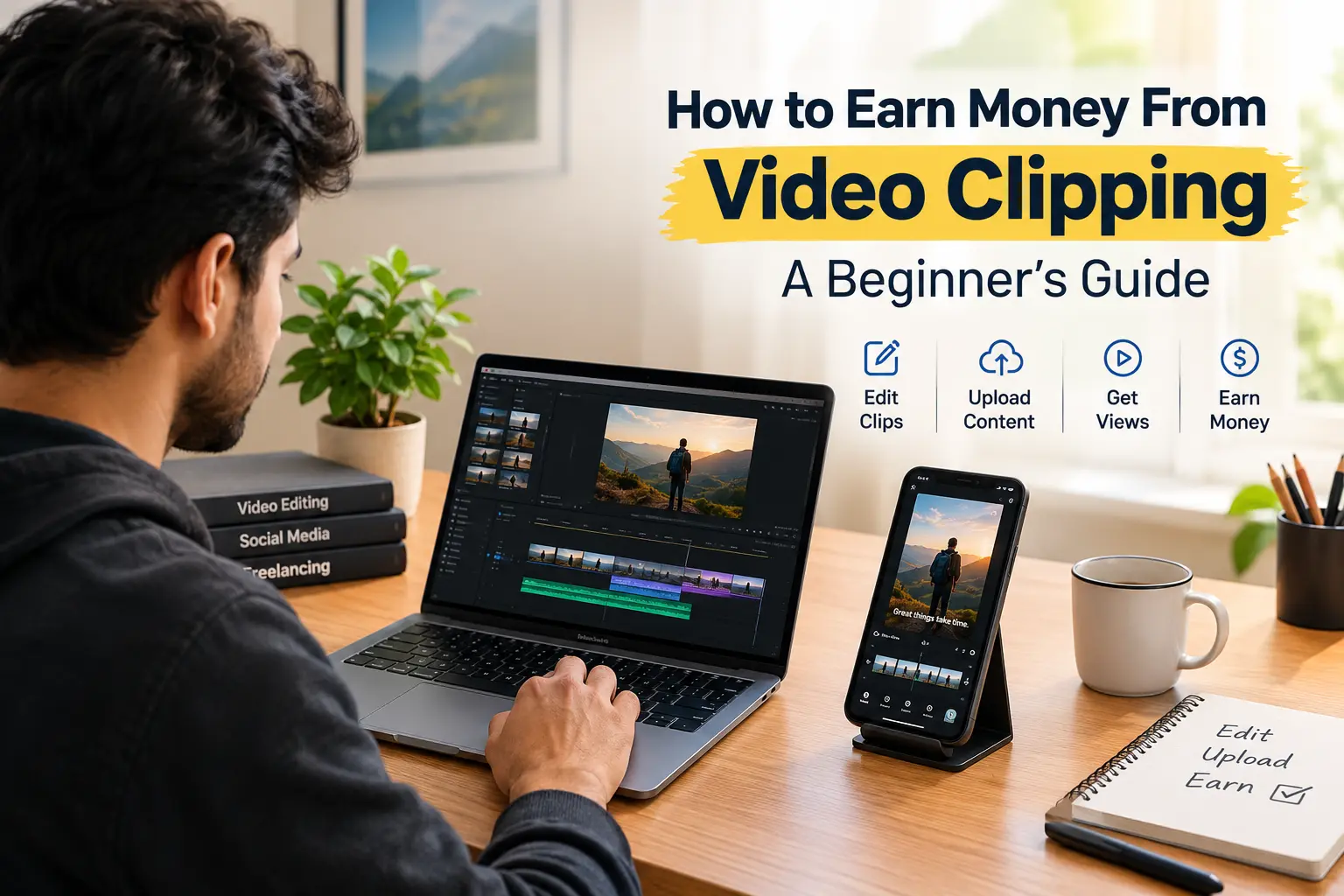
Have you ever watched a short podcast clip on Instagram Reels or YouTube Shorts and wondered who created it—and whether they got paid?
That is where video clipping campaigns come in. Some brands, businesses, and content creators pay people to turn longer videos into short, engaging clips and publish them on social media. Depending on the campaign, payment may be based on eligible views, approved posts, or another agreed arrangement.
You don’t necessarily need expensive equipment or years of editing experience to get started. A computer or smartphone, a suitable editing app, and some practice can help you learn the basics.
However, video clipping is not a guaranteed way to make money online. Your results depend on the campaigns you qualify for, the quality of your clips, how many views count toward payment, and whether your submissions meet the rules.
In this guide, you’ll learn how video clipping works, where to look for campaigns, how to create better clips, what beginners might earn, and what people in Pakistan should check before getting started.
What Is Video Clipping?
Video clipping means taking a useful, interesting, or entertaining section from a longer video and turning it into a shorter piece of content for social media.
Imagine a 30-minute podcast featuring a discussion about freelancing. Instead of sharing the entire episode, you select a 45-second section in which the speaker gives a useful tip. You remove unnecessary pauses, add captions, adjust the framing, and prepare the clip for viewers watching on their phones.
The finished video can then be published as an Instagram Reel, YouTube Short, TikTok video, or another format accepted by the campaign.
Why would someone pay you to do this?
Brands and content creators want their videos to reach more people. Rather than editing and distributing every clip themselves, some run campaigns that invite other creators to help spread their content.
Depending on the arrangement, you might be paid for eligible views, an approved post, or a specific deliverable.
The important thing to understand is that views alone don’t guarantee payment. You need to meet the campaign requirements, use content you’re allowed to publish, and submit your work correctly.
How Do Video Clipping Campaigns Work?
A clipping campaign connects a content owner or brand with people who create and distribute short videos according to specific instructions.
One place to explore is Content Rewards, which provides information about creator campaigns and potential rewards.
Although each campaign has its own rules, the process usually follows these six steps.
- Find a suitable campaign. Browse the available opportunities and check which social media platforms are accepted.
- Read the requirements carefully. Look for the payment rate, eligible views, content rules, minimum payout, maximum payout, and submission deadline.
- Create your clip. Select an interesting moment from authorized footage and edit it according to the campaign brief.
- Publish the video. Upload it to an eligible social media account and include any required captions, hashtags, mentions, or disclosures.
- Submit your post. Copy the published video’s URL and submit it through the campaign’s specified process.
- Wait for approval. The campaign owner or platform may review your content and validate its views before calculating the final reward.
Keep in mind that the details can vary. Some campaigns may have strict submission deadlines, while others use different review or payment procedures.
Always follow the instructions currently displayed on the campaign page. An older YouTube tutorial may describe a process or payment arrangement that has since changed.
How to Find and Choose a Video Clipping Campaign
Finding a campaign is only the first step. You also need to decide whether it’s worth your time.
An opportunity advertising an attractive payment rate might have a limited budget, strict eligibility requirements, or a payout threshold that’s difficult to reach. Checking these details beforehand can save you a lot of unnecessary work.
1. Explore Available Campaigns
Start by visiting the Content Rewards creator page.
Review the opportunities available and identify campaigns that match your editing skills, preferred social media platforms, and account type.
If you decide to register, use the official website and carefully review the requirements before connecting any social accounts.
Don’t assume that every campaign will be available to every creator. Campaign availability, registration requirements, and platform features can change over time.
Not every campaign accepts videos published on every social network.
For example, one campaign might accept Instagram Reels, while another may require YouTube Shorts or TikTok.
Before you start editing, confirm:
- Which social media platforms are accepted.
- Whether your account must meet specific requirements.
- Whether there are minimum follower or audience requirements.
- Whether views from particular countries qualify.
- Whether you need to use a public account.
A large following doesn’t automatically make you eligible. Some campaigns have additional conditions that matter just as much as your audience size.
3. Understand the Payment Terms
This is one of the most important steps, especially if you’re new to online earning.
Before joining a campaign, check the following details.
| What to check | Why it matters |
|---|---|
| Payment model | Find out whether you earn per 1,000 eligible views, per approved post, through a fixed agreement, or from a prize pool. |
| CPM rate | If the campaign uses CPM, check how much it offers per 1,000 eligible views. |
| Minimum payout | Determine how much you need to earn before you can withdraw your balance. |
| Maximum payout | Check whether a single clip or creator has an earnings limit. |
| Campaign budget | A campaign may stop rewarding new views when its available budget runs out. |
| View tracking | Find out which views count and how long they are tracked. |
| Review period | Check how long approval might take. |
| Withdrawal options | Confirm the available payment methods, fees, and withdrawal conditions. |
Content Rewards describes different payment arrangements in its official creator terms.
Read the terms for the specific campaign you want to join. Don’t assume that the highest advertised rate will necessarily produce the highest actual payment.
4. Check Whether the Opportunity Looks Trustworthy
Before investing your time, take a few minutes to examine the campaign.
A useful starting point is to look for a clear campaign brief, an identifiable content owner, understandable payment rules, specific content requirements, and a working support channel.
Be cautious if an opportunity:
- Promises guaranteed earnings or effortless income.
- Demands suspicious upfront payments just to access work.
- Provides vague or contradictory payment information.
- Encourages you to purchase fake views, followers, or engagement.
- Asks you to ignore copyright rules or platform policies.
No single sign proves that a campaign is legitimate or illegitimate. Look at the overall evidence and make sure you understand the terms before participating.
How to Create a Good Video Clip
You don’t need a complicated editing setup to learn video clipping. Start with tools you already have, practise the fundamentals, and upgrade only when there’s a clear reason to do so.
Step 1: Use Footage You’re Allowed to Publish
Before editing a video, make sure you have permission to use it.
The safest starting point is footage supplied by the campaign owner with clear instructions about how it can be edited and shared.
Look for a section that communicates one complete idea. A useful tip, surprising fact, interesting question, or strong moment from a conversation can work well without requiring viewers to watch the entire original video.
Avoid assuming that any video available on YouTube or Instagram is free to reuse. Adding captions, cropping the footage, or changing the background music does not automatically give you permission to publish it commercially.
Step 2: Give Viewers a Reason to Keep Watching
The opening seconds matter because viewers can quickly scroll past a video that doesn’t interest them.
Try to begin with a question, a useful statement, or a clear introduction to the topic.
For example, an authorized educational video about freelancing might open with:
“What’s the most common mistake beginners make when looking for freelance work?”
The rest of the clip should answer that question or develop the idea.
Avoid misleading hooks that promise something the video doesn’t deliver. They might attract initial attention, but they can frustrate viewers and weaken trust in your content.
Step 3: Edit for People Watching on Their Phones
A good clip doesn’t need flashy effects. It needs to be easy to watch and understand.
Here are a few improvements worth making:
- Remove unnecessary pauses. Keep the video moving without cutting out information needed to understand the message.
- Add readable captions. Make sure the text is large enough to read on a small screen.
- Use vertical framing when required. Keep the speaker or main subject visible within the frame.
- Check the audio. Make sure speech is clear and background sounds aren’t overpowering it.
- Use effects sparingly. Zooms and other visual changes can help emphasize a point, but too many can distract viewers.
- Review the finished video. Watch it from beginning to end before publishing.
Captions are particularly helpful for people who watch videos without sound. If you use automatic captioning, check the result for incorrect words, names, and punctuation.
Step 4: Follow the Campaign Instructions
A clip can look excellent and still be rejected if it doesn’t follow the campaign’s rules.
Before publishing, double-check the required format, caption, hashtags, account mentions, disclosure wording, and any restrictions on editing.
Also confirm whether the campaign requires particular wording or a specific publishing method.
Don’t copy instructions from another campaign. Even two opportunities on the same platform may have different requirements.
Step 5: Publish and Submit Your Clip on Time
Once the video is ready, publish it to the correct account and submit the exact URL through the required campaign process.
Pay attention to deadlines. Some campaigns allow only a short period between publishing and submitting a clip.
Content Rewards’ creator information describes a 30-minute submission window for its stated process. However, confirm the current instructions for your particular campaign before relying on that timing.
After submission, keep any confirmation details or submission ID. Unless the campaign tells you otherwise, avoid deleting or changing the post while it’s being reviewed.
How Much Can You Earn From Video Clipping?
The amount you can earn depends on the campaign’s payment model, the number of views that qualify, and any limits or fees that apply.
A video displaying 100,000 views doesn’t necessarily mean you’ll be paid for all 100,000. Campaigns may use their own view-validation rules, and some may impose a maximum payout.
Let’s look at a simple example.
Suppose a hypothetical campaign pays $1.50 per 1,000 eligible views.
| Eligible views | Rate | Estimated gross earnings |
|---|---|---|
| 1,000 | $1.50 per 1,000 views | $1.50 |
| 10,000 | $1.50 per 1,000 views | $15 |
| 50,000 | $1.50 per 1,000 views | $75 |
| 100,000 | $1.50 per 1,000 views | $150 |
These are mathematical examples, not verified rates from Content Rewards or a promise of what you’ll earn.
The calculations assume that every listed view qualifies, the rate remains unchanged, and the campaign has enough budget to cover the reward. Actual payments may be lower because of rejected views, payout caps, fees, or other campaign conditions.
What About Claims of Earning Hundreds of Dollars?
The YouTube video associated with this guide is titled “I Earned $500+ From Clipping in 20 Days.” Its creator reports earning more than $500 during that period.
That is the creator’s reported experience. It shouldn’t be treated as independently verified income or as a prediction of what another person will earn.
Your results may be very different. A new account might struggle to attract views, and a clip that performs well today doesn’t guarantee that the next one will do the same.
If you’re considering video clipping, approach it as a skill-building and earning experiment rather than a dependable source of immediate income.
Can Beginners in Pakistan Earn Money From Video Clipping?
People in Pakistan can learn video editing and create short-form content, but whether they can earn from a particular campaign depends on its eligibility rules and payment arrangements.
Before spending hours editing videos, check these six things.
1. Country eligibility
Confirm that people living in Pakistan can register and participate in the specific campaign. A website being accessible from Pakistan doesn’t necessarily mean its paid campaigns are open to Pakistani residents.
2. Identity verification
Find out whether identity verification is required and which documents are accepted. Make sure your details can be verified using the information you legitimately hold.
3. Withdrawal methods
Check whether the available payment methods support Pakistani residents. Don’t assume that a withdrawal option offered internationally will work for you.
4. Currency conversion and fees
If your payment is in US dollars or another foreign currency, check the applicable conversion costs, withdrawal fees, and any charges imposed by your payment provider or bank.
5. Audience requirements
Some campaigns may require views from specific countries or regions. If so, review your account analytics and understand how the campaign determines eligible views.
6. Minimum withdrawal balance
Check how much you must earn before withdrawing money and whether any additional approval or processing period applies.
I couldn’t independently confirm that all the withdrawal arrangements discussed in the original video are currently supported for Pakistani users. You should verify the available options directly with the platform before committing substantial time to a campaign.
If you cannot confirm a workable withdrawal method, treat that as a real risk. Earning a balance on a website is not the same as successfully receiving the money.
Copyright and Content Reuse: What You Need to Know
Copyright is an important part of video clipping, and it’s worth understanding before you start.
A video being publicly available on YouTube, Instagram, or another platform doesn’t automatically give you permission to download it and republish it for commercial purposes.
Adding subtitles, transitions, zoom effects, or background music doesn’t automatically solve the problem either.
YouTube explains the distinction in its official channel monetization policies. Its reused-content rules and copyright enforcement are separate considerations. Meaningful commentary or transformation may affect whether content meets reused-content monetization requirements, but it doesn’t automatically resolve copyright concerns.
To reduce the risk of problems:
- Use footage supplied by the campaign owner with clear permission for your intended use.
- Check whether that permission covers editing, reposting, commercial use, and the social platforms you plan to use.
- Make sure you have the necessary rights to any music, images, or other assets you add.
- Follow the campaign’s attribution and disclosure requirements.
- Check the relevant social platform’s rules on reused content and monetization.
Remember that permission from a campaign owner doesn’t automatically guarantee that a social media platform will approve or monetize your post.
If you’re unsure whether you can use particular footage, ask the content owner for clarification or choose another campaign.
Common Video Clipping Mistakes That Waste Time
When you’re new to clipping, small mistakes can lead to rejected submissions or unnecessary expenses. Here are some problems to avoid.
Joining a campaign without reading the terms. An attractive rate may come with a high minimum payout, a strict tracking window, or a low maximum reward. Understand the conditions before you start.
Publishing on the wrong platform. A clip might receive plenty of views but still be ineligible if the campaign doesn’t accept that social network or account.
Ignoring audience requirements. Some campaigns specify which viewers or accounts qualify. Check these conditions instead of assuming every view will count.
Missing the submission deadline. If you need to submit your post shortly after publishing, set aside time to complete the submission immediately and save the confirmation.
Paying for tools you don’t need. You can learn basic editing without buying expensive software or courses. Start with affordable options and consider paid tools only when they offer a genuine benefit.
Expecting every clip to go viral. Social media performance is unpredictable. Instead of depending on one successful post, practise consistently and learn from your results.
Assuming approval means immediate payment. Content approval, view validation, settlement periods, and withdrawal processing can all affect when you actually receive your money.
Avoiding these mistakes won’t guarantee earnings, but it can help you make better decisions and use your time more effectively.
A Practical Seven-Day Plan for Beginners
If you’d like to explore video clipping without making a large financial commitment, use the following plan as a starting point.
Days 1–2: Learn the Basics
Choose an editing app and practise trimming footage, adding captions, adjusting audio, and framing videos vertically.
Use your own recordings or footage you’re authorized to edit. Focus on producing clear, watchable clips rather than trying to master every editing effect at once.
Days 3–4: Research Campaigns
Explore available campaigns and compare their eligibility rules, content permissions, accepted social platforms, payment models, and withdrawal methods.
If you’re in Pakistan, give particular attention to country eligibility and whether you can actually receive payments.
Shortlist only the opportunities that appear suitable for your skills and accounts.
Days 5–6: Build a Small Portfolio
Create a few practice clips using original or properly authorized footage.
Experiment with different openings, caption styles, and editing approaches. Keep the message clear and avoid unnecessary effects.
A small portfolio can help you assess your progress and demonstrate your editing skills when an opportunity calls for examples of your work.
Day 7: Review Your Options
If you’ve found a suitable campaign, read its latest instructions and prepare a clip that follows the brief.
Track the results of your work, including:
- Views and other available performance metrics.
- Whether your submission was approved.
- Any feedback you received.
- Time spent editing and publishing.
- Software, data, or other costs.
- Payment status and withdrawal conditions.
Use what you learn to decide whether to continue, improve your editing process, or explore other freelance opportunities.
This is a suggested learning schedule, not a promise that you’ll qualify for a campaign or earn money within seven days. Building the necessary skills and finding a suitable opportunity may take longer.
Frequently Asked Questions
What is a video clipping job?
A video clipping job involves turning longer videos into shorter pieces of content for social media. Depending on the agreement, you may be paid for eligible views, approved posts, or specific editing deliverables.
Not necessarily. Requirements vary by campaign. Some opportunities may accept newer accounts, while others require a certain account history, audience size, or viewer demographics. Always check the specific campaign brief.
Can I earn $100 from video clipping?
It’s possible under a suitable paid campaign, but it’s not guaranteed.
At a hypothetical rate of $1.50 per 1,000 eligible views, you’d need approximately 66,667 eligible views to generate $100 in gross earnings. This assumes the rate stays constant and there are no payout caps or other adjustments. Fees could reduce the amount you actually receive.
Is Content Rewards legitimate?
Content Rewards publishes creator information and terms describing its campaign marketplace and payment models. That confirms the service documents these offerings, but it doesn’t guarantee that every campaign is suitable, every submission will be approved, or every creator will earn money.
Review the official creator terms and the rules of any campaign you consider joining.
Can I use movie clips to earn money?
Only if you have the necessary rights or another valid legal basis for the intended use.
A campaign that accepts a particular type of movie clip doesn’t, by itself, prove that you have permission to republish the footage. Copyright and platform monetization rules still matter.
Do I need to buy a paid video clipping tool?
No. You can learn basic editing with tools that fit your budget. Start with the essentials and consider paid software only if it genuinely improves your workflow or saves you enough time to justify the expense.
When will I receive payment?
That depends on the campaign’s approval process, view validation, settlement schedule, and withdrawal rules. Read the current terms to understand when your earnings become payable and how long it may take to receive the funds.
Final Thoughts
Video clipping can be a practical way to develop short-form editing skills and explore freelance content creation. It may suit beginners who enjoy working with videos, learning what holds an audience’s attention, and following detailed campaign instructions.
But it’s important to keep your expectations realistic. Not every clip will attract views, not every submission will qualify for payment, and not every campaign will be available in your country.
Start with footage you’re allowed to use, practise the basics, compare campaign terms carefully, and confirm that you have a reliable way to withdraw your earnings before investing significant time or money.
The best approach is to focus on building a useful skill and evaluating real opportunities—not chasing promises of guaranteed income or quick profits.